
Sort It Out!
The neon buzzer game where players put things in the right order. Smallest to biggest, oldest to newest, first to last — the player presses the red, blue, yellow and green buzzers in the right order, or races to find the #1 answer from up to 6. 47 ready-made categories, up to 10 players, 23 party themes, a built-in AI question maker and a phone remote — you run the whole show from your laptop or your phone.
Sort It Out! is here!
From the makers of Trivia Rush — a brand-new game for your quiz nights, pubs, parties and classrooms. Get your buzzers ready! 🔴🔵🟡🟢
🔢 Two Ways to Play
Put Them in Order — the TV mixes up 4 things, the player presses the buzzers in the right order. Find the #1 — 4 or 6 answers, one press: the #1 answer wins the most points, the last place loses points!
How a Game Works
1. Type in up to 10 players and pick who plays next.
2. The TV shows the categories — the player chooses one. Categories already played are greyed out.
3. 3-2-1… “Smallest to biggest!” — the things appear on coloured podiums.
4. The player presses the buzzers in the right order (or the #1 answer). Fast answers score more.
5. The right order is shown, with points for every thing in the right place.
6. When everyone has played: final scores one by one, then the winner light show! 🏆
⚡ Sort It Out! — Screenshots
The players’ screen, the host screen, the phone remote and the party themes

🥇 Find the #1 — Up to 6 Answers

✅ Points for Every Place — Last Place Loses Points

🔢 Put Them in Order — Movie Night Theme

👉 The Player Chooses — Played Categories Greyed Out

🏆 Final Scores — the Winner
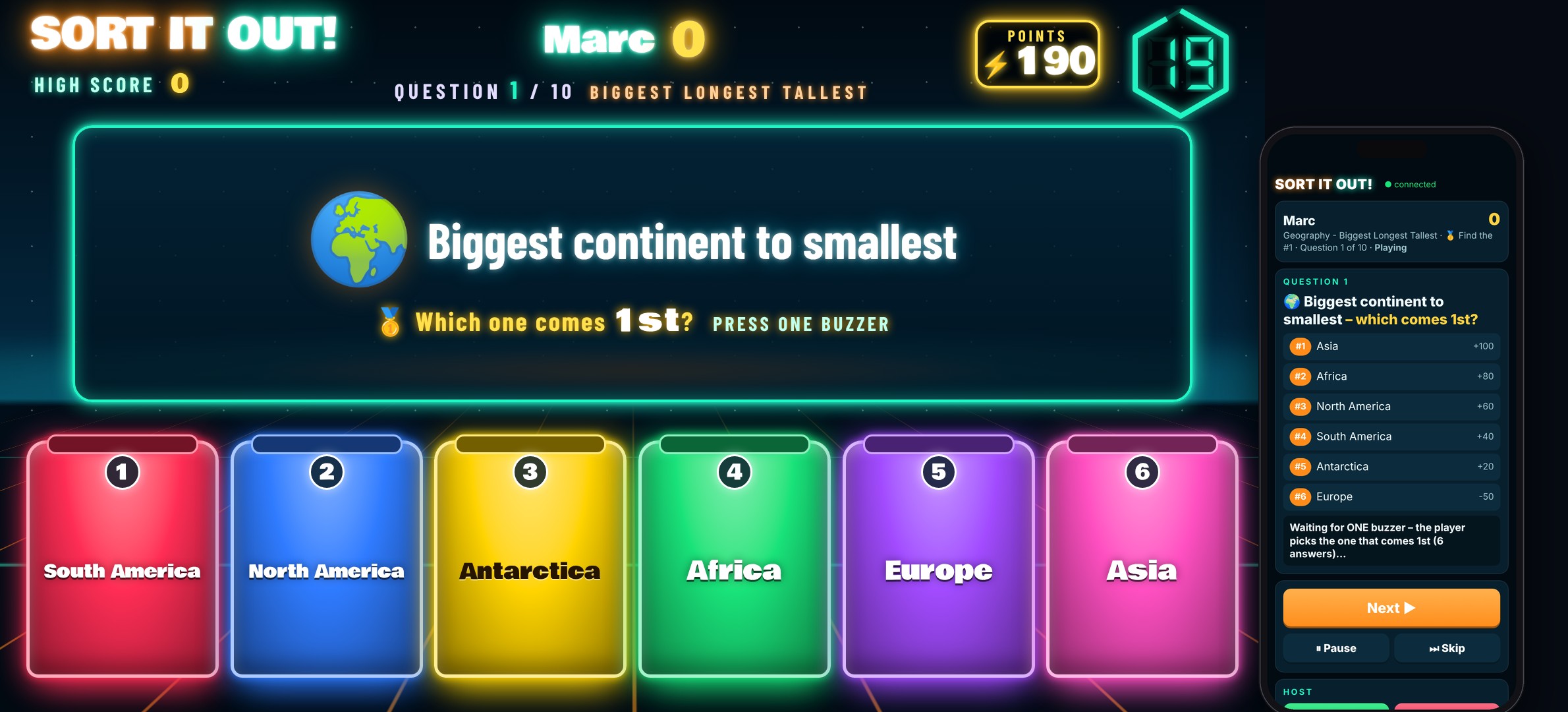
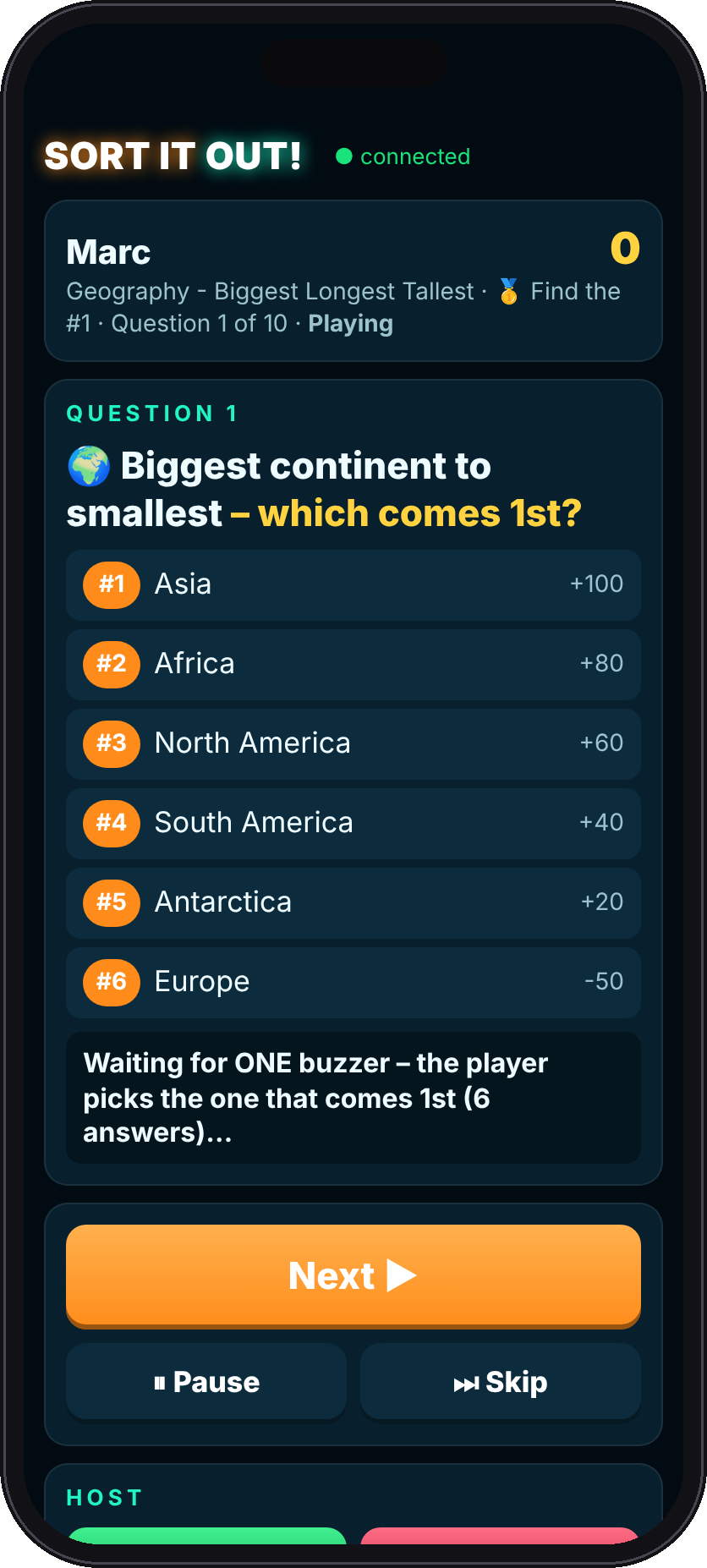
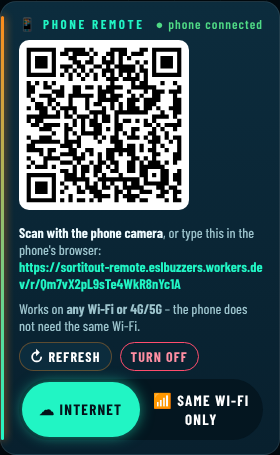
📱 Run the Game from Your Phone
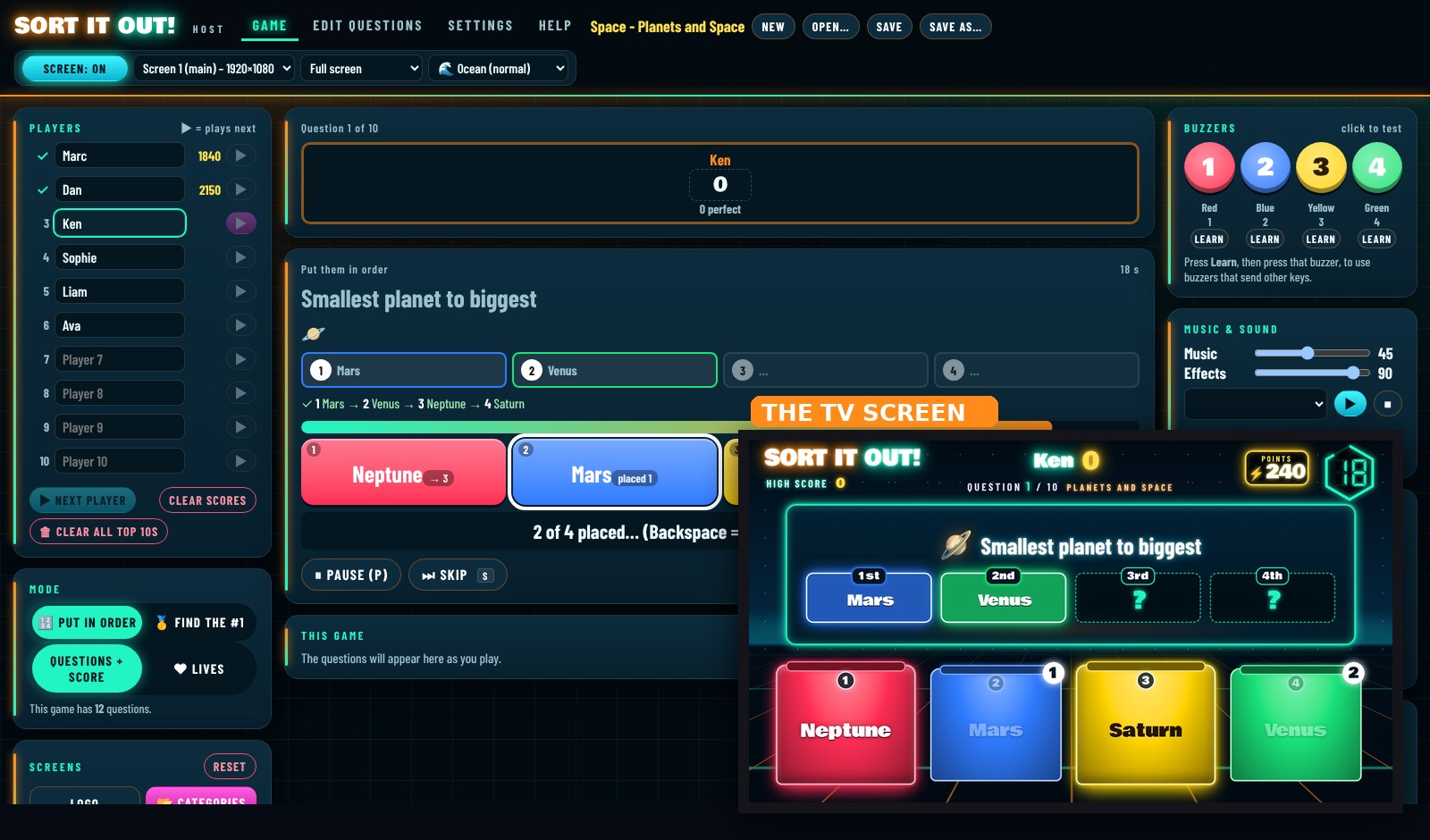
🖥️ Host Screen + TV — Put Them in Order

🖥️ Host Screen + TV — Find the #1

🖥️ Host Screen + TV — Choose a Category
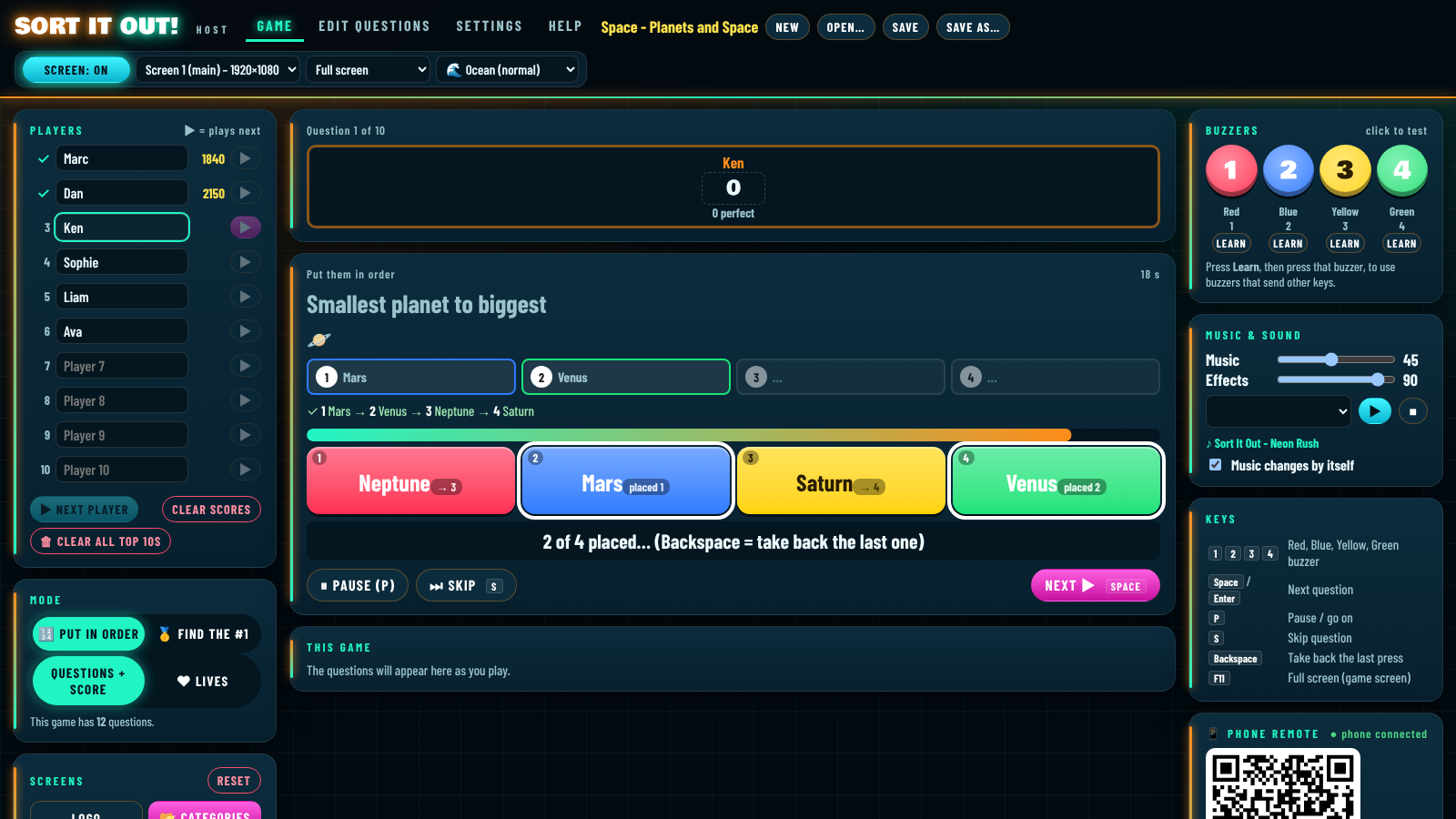
🖥️ Host Screen — Playing (You See the Right Order)

🖥️ Host Screen — Find the #1 with 6 Buzzers
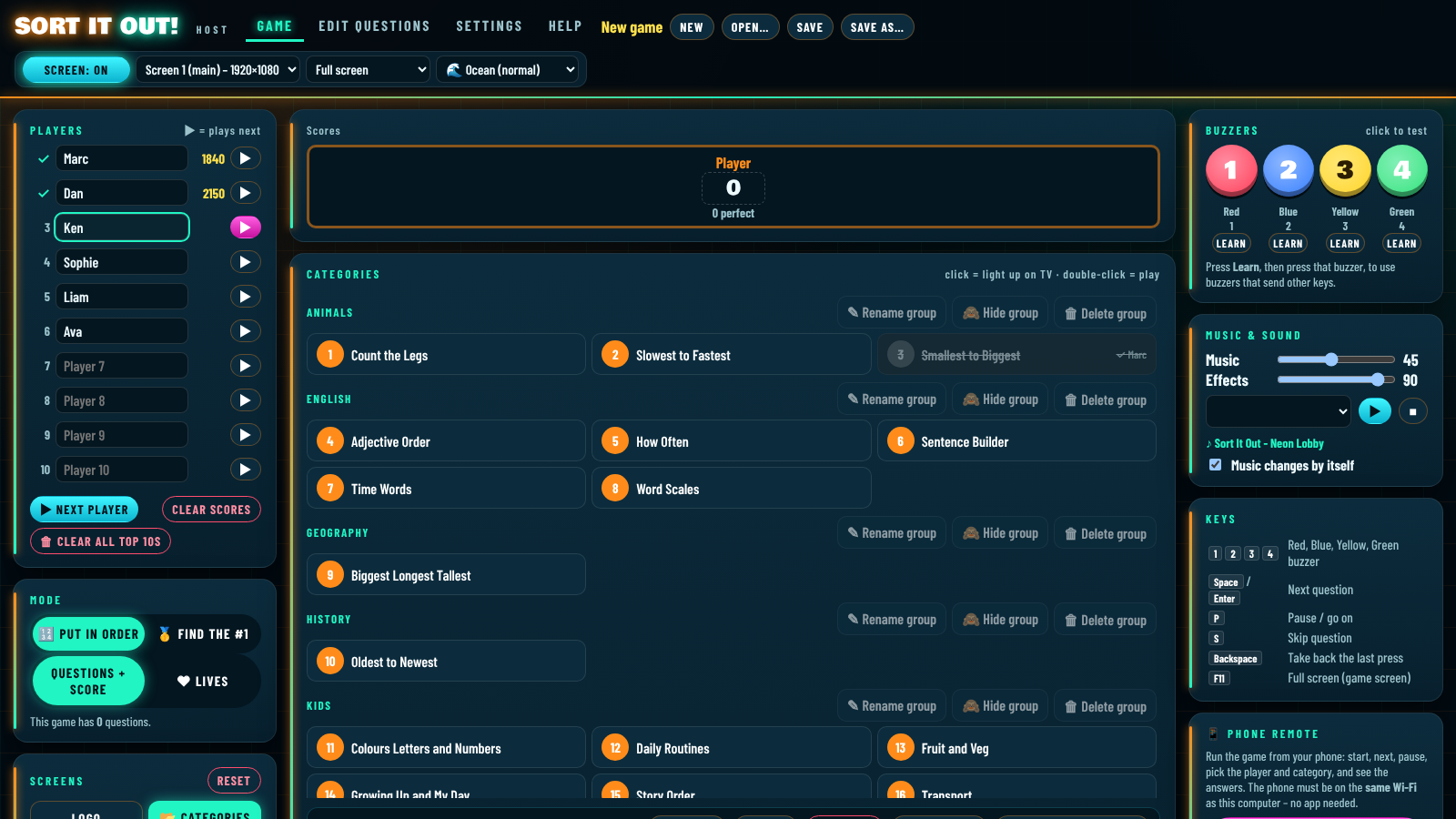
🖥️ Host Screen — Players & Categories
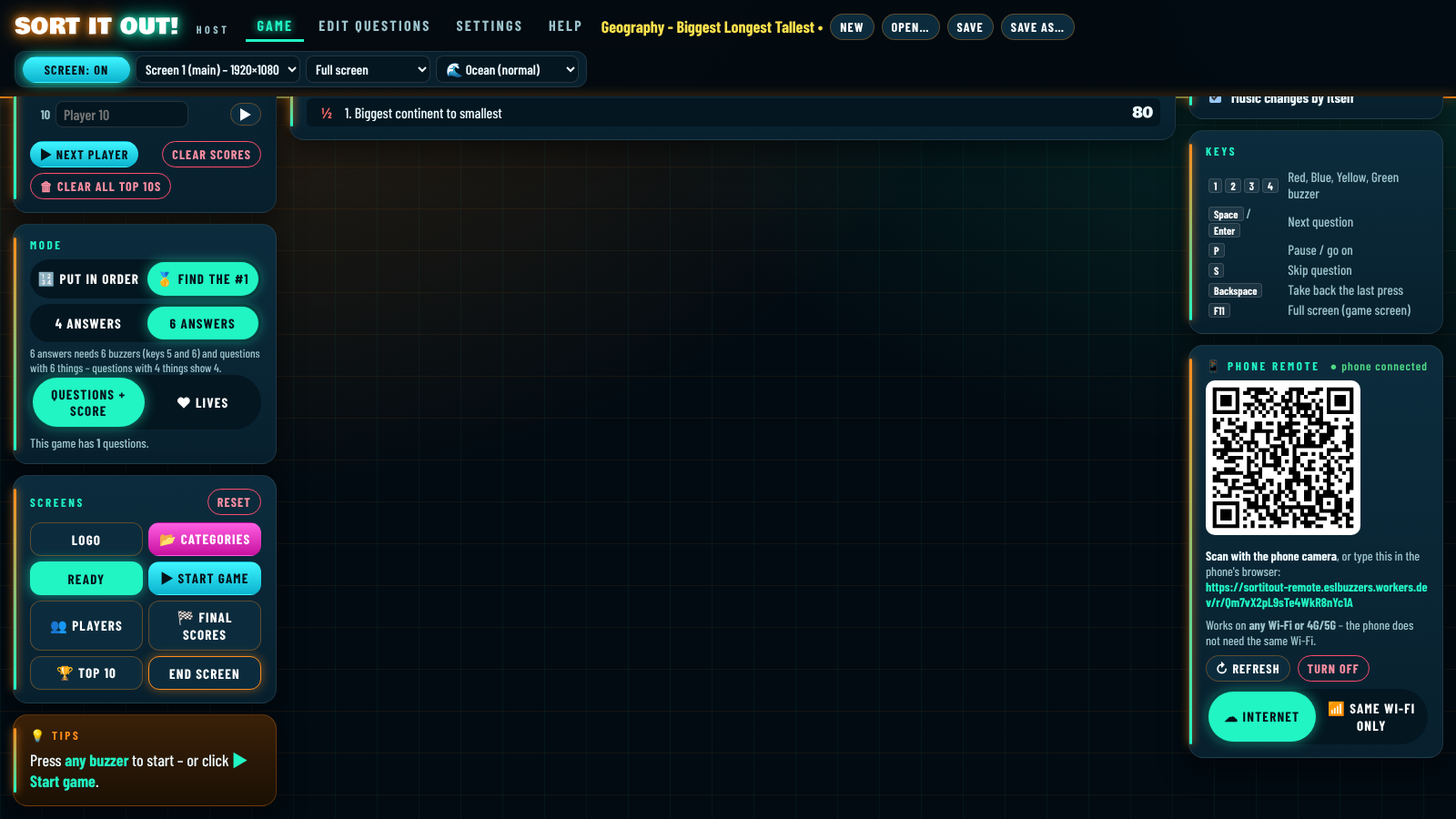
🖥️ Host Screen — Modes, Buzzers & Phone Remote
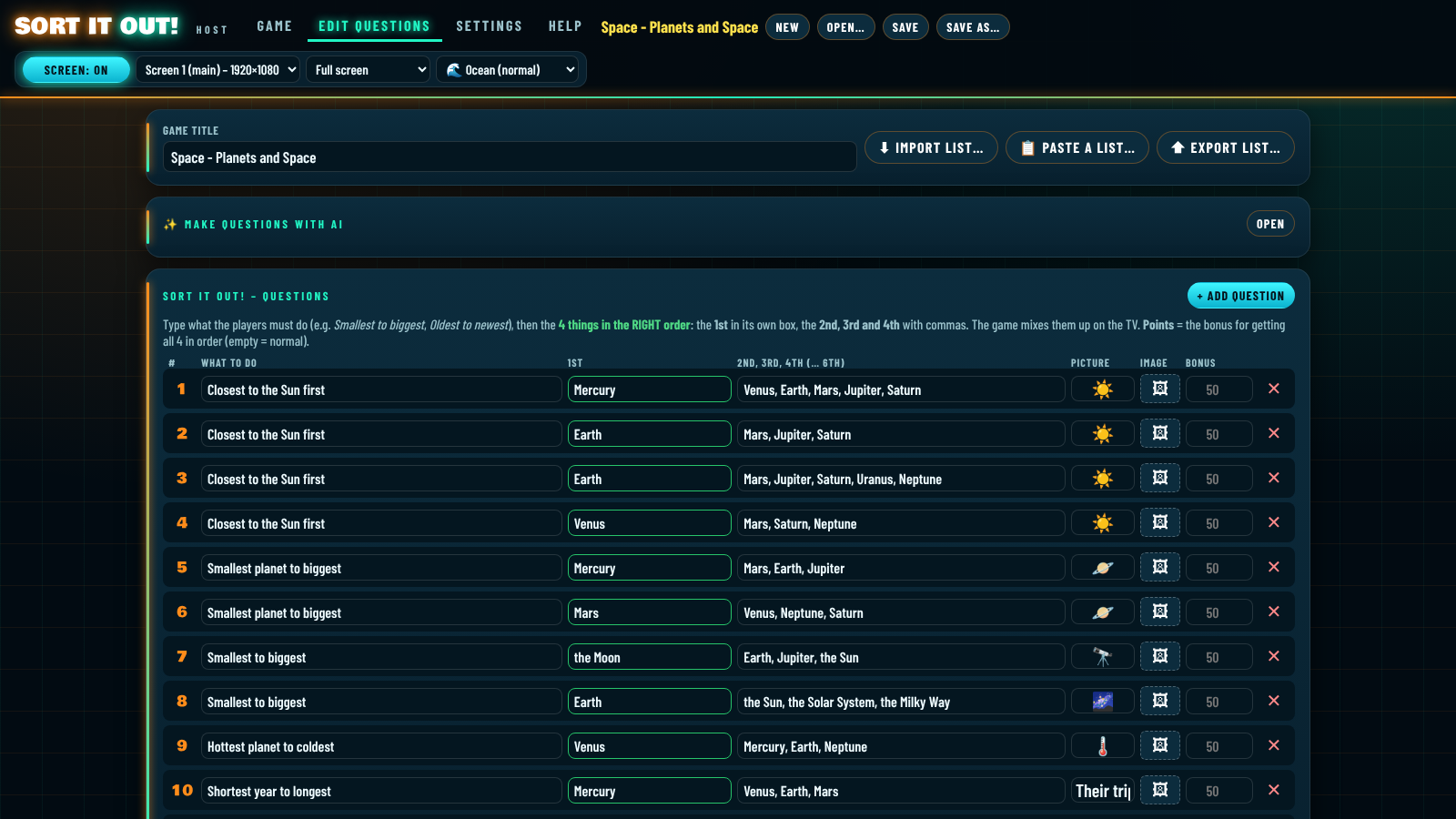
📝 Host Screen — Edit Questions
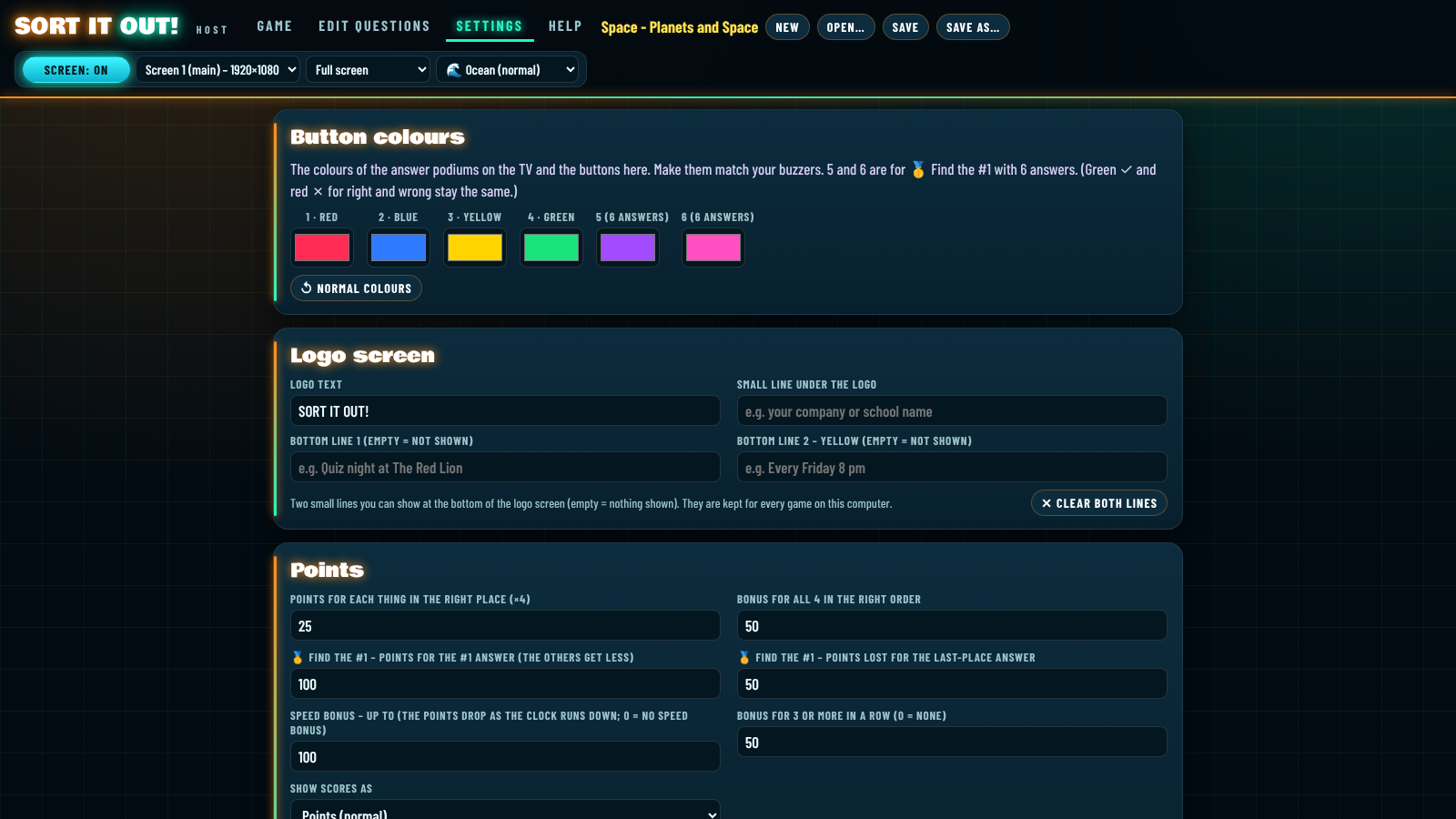
🎨 Settings — Button Colours & Logo
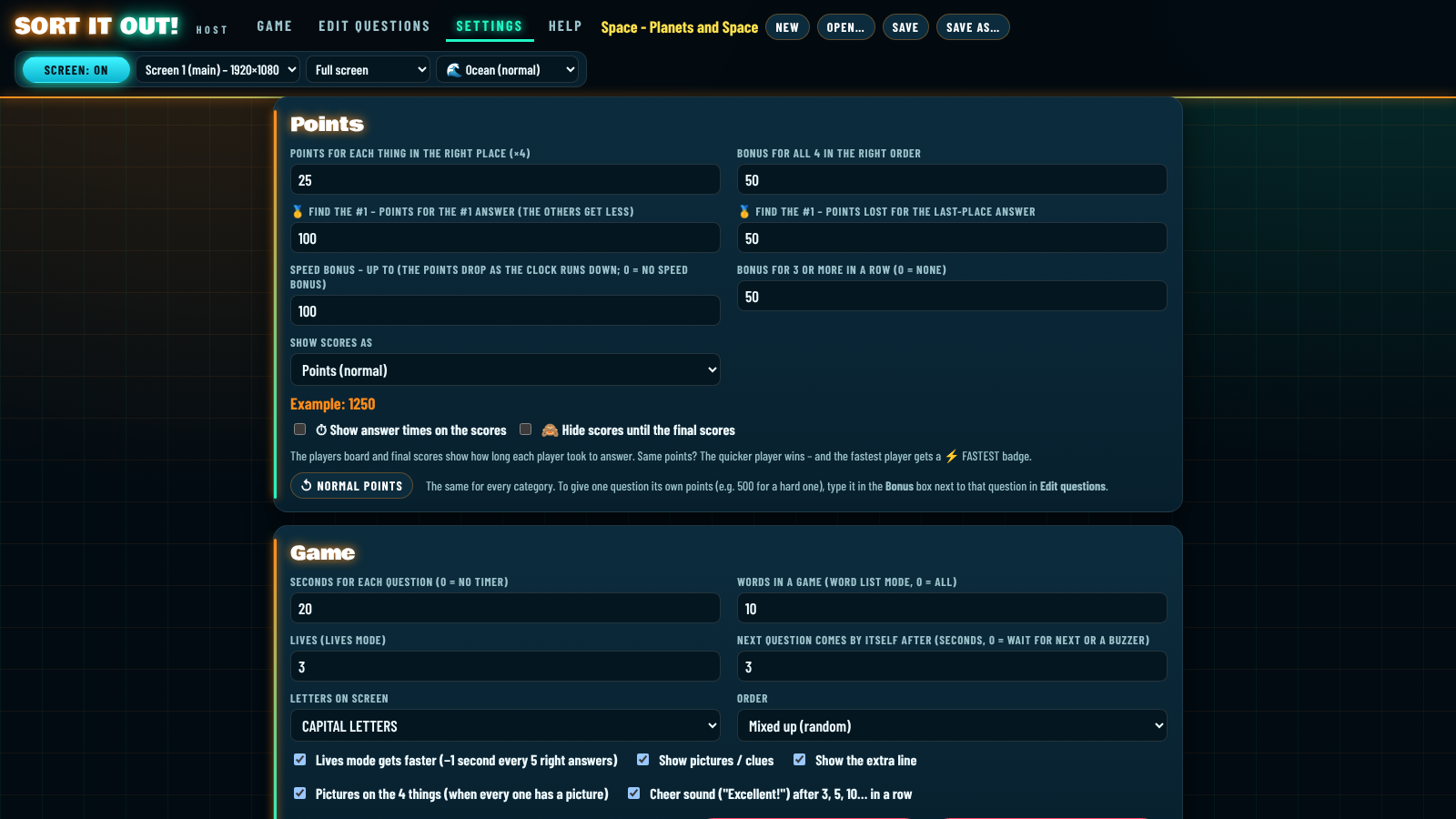
💰 Settings — Points & Money

🎵 Settings — Music & Buzzer Sounds
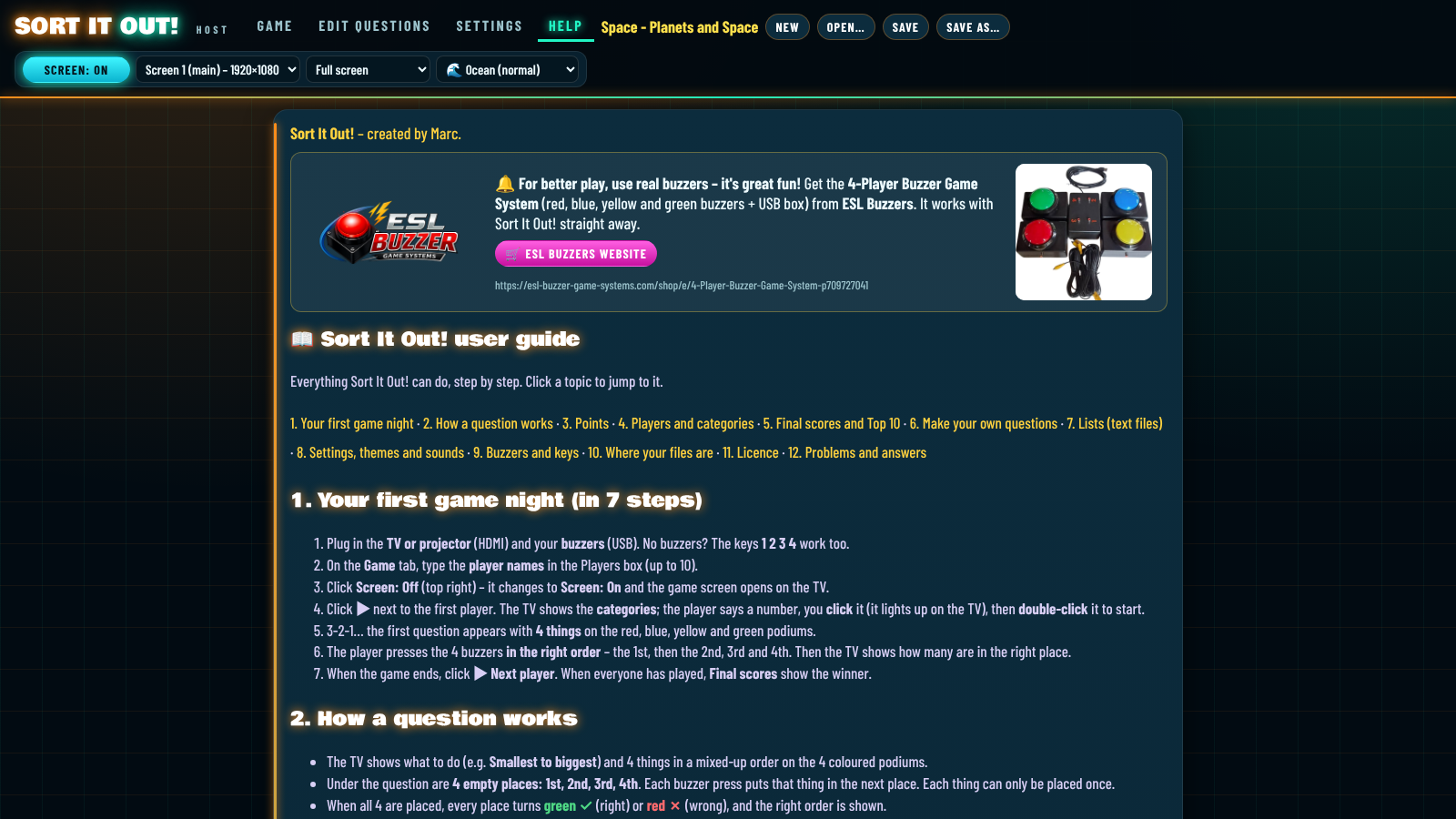
📖 Built-In Help
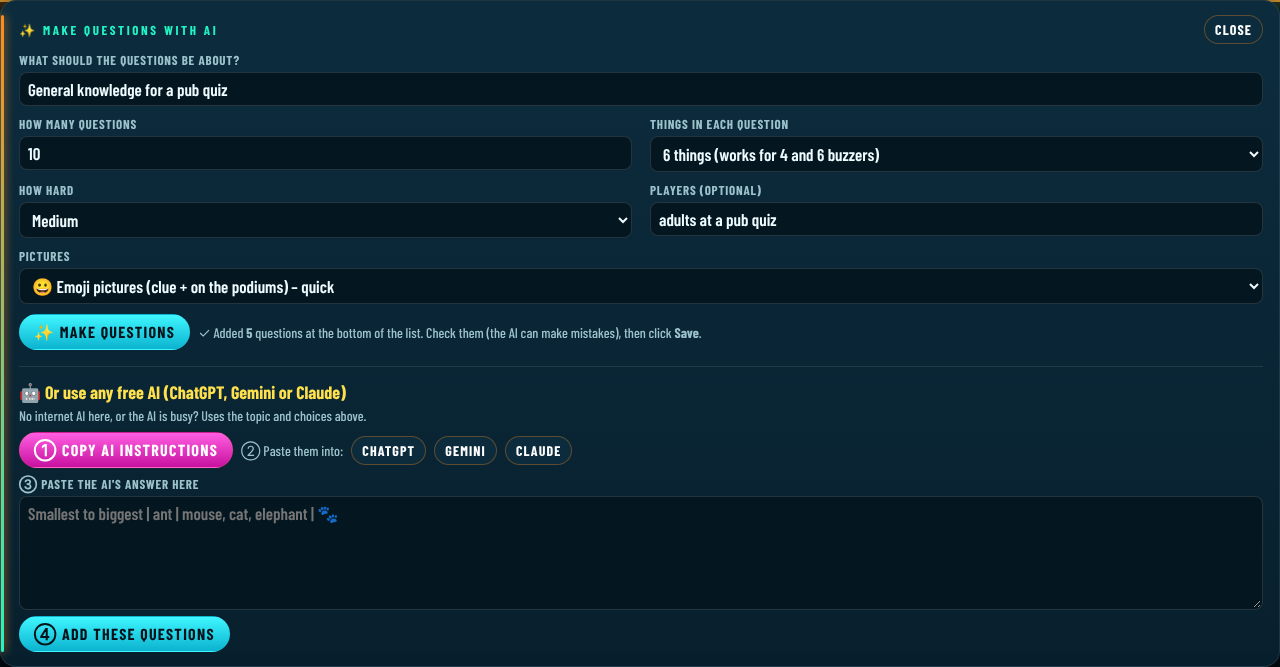
✨ Built-In AI Question Maker
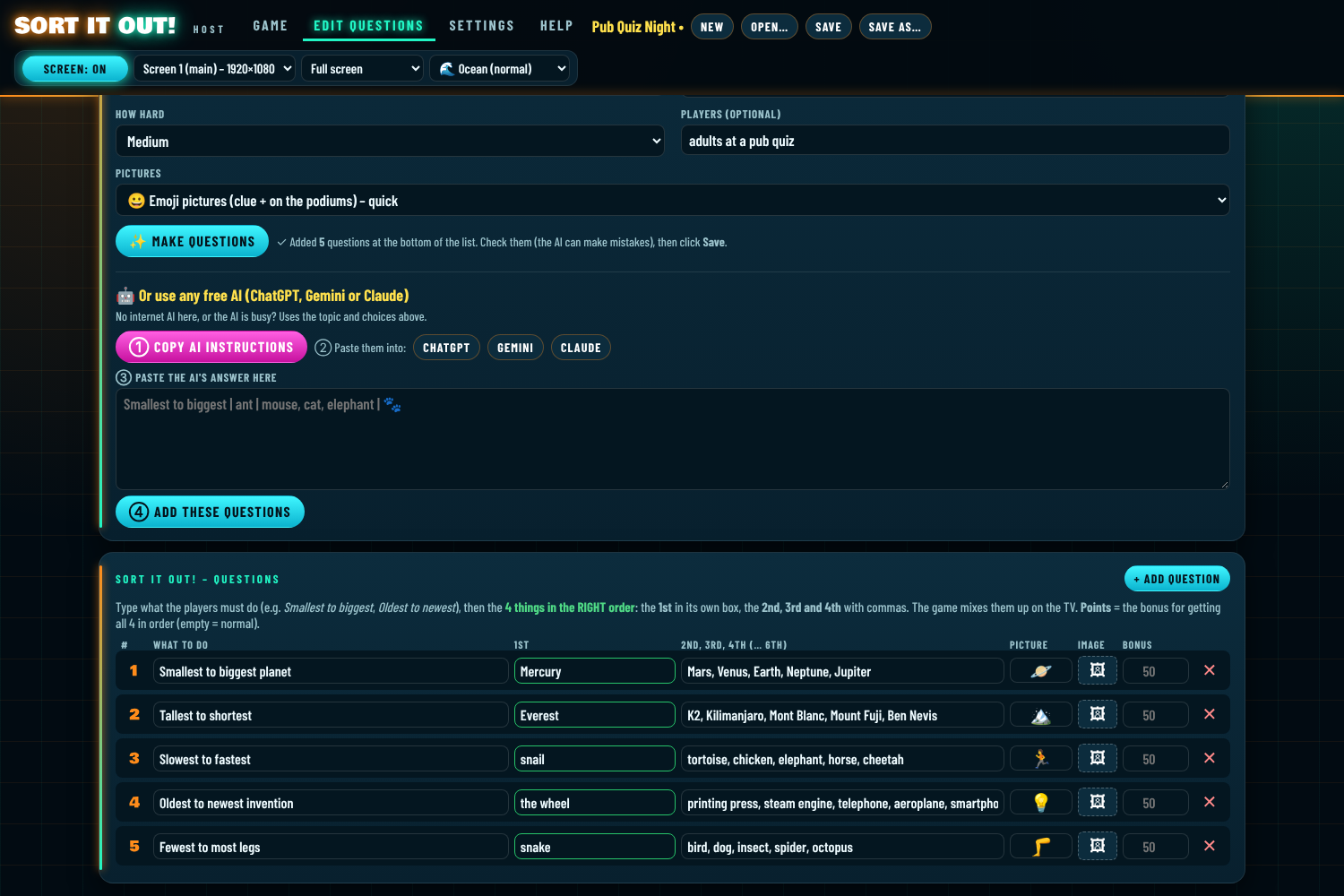
✨ AI Questions Added — Ready to Play
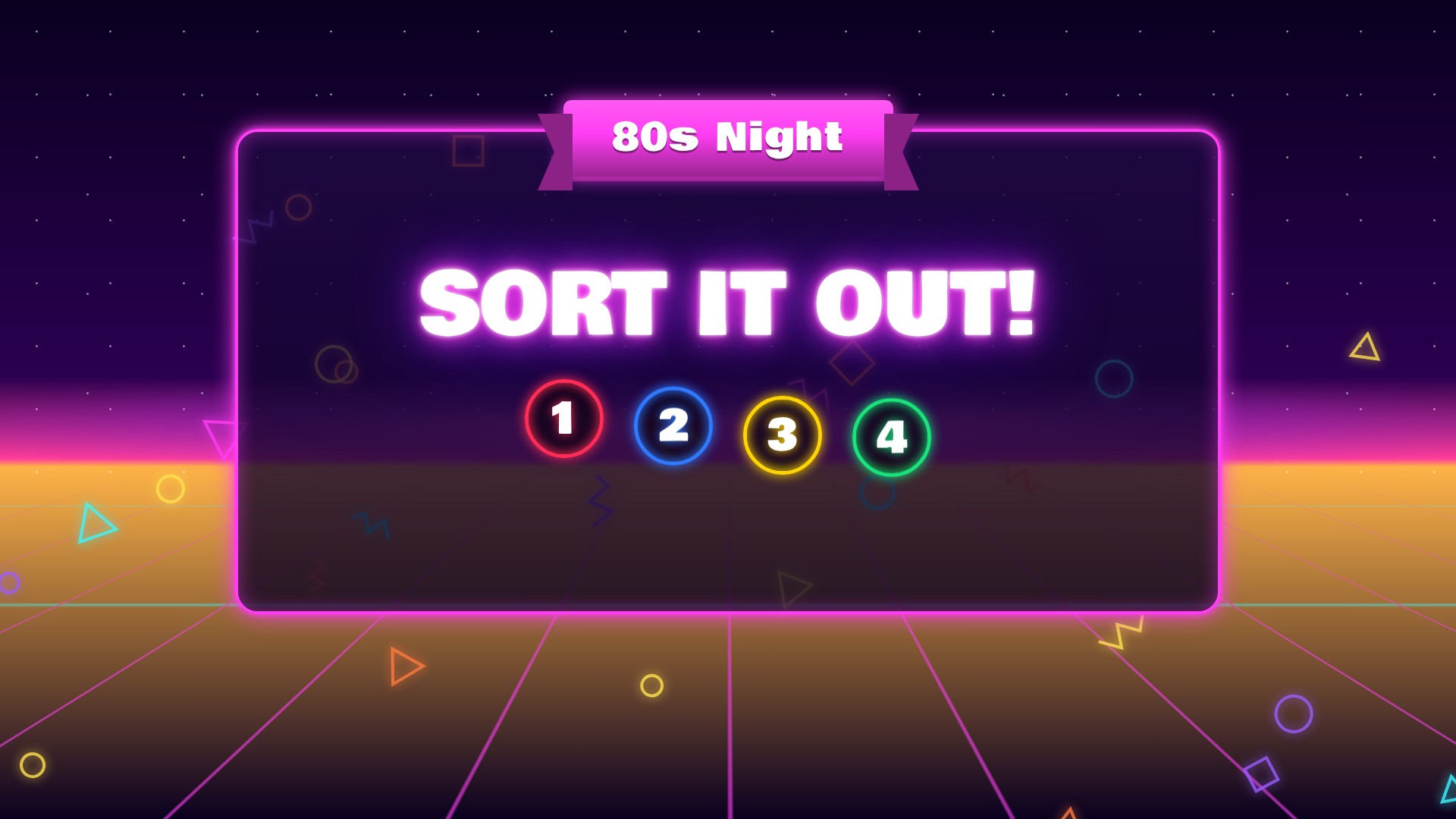
🕺 Theme — 80s Night
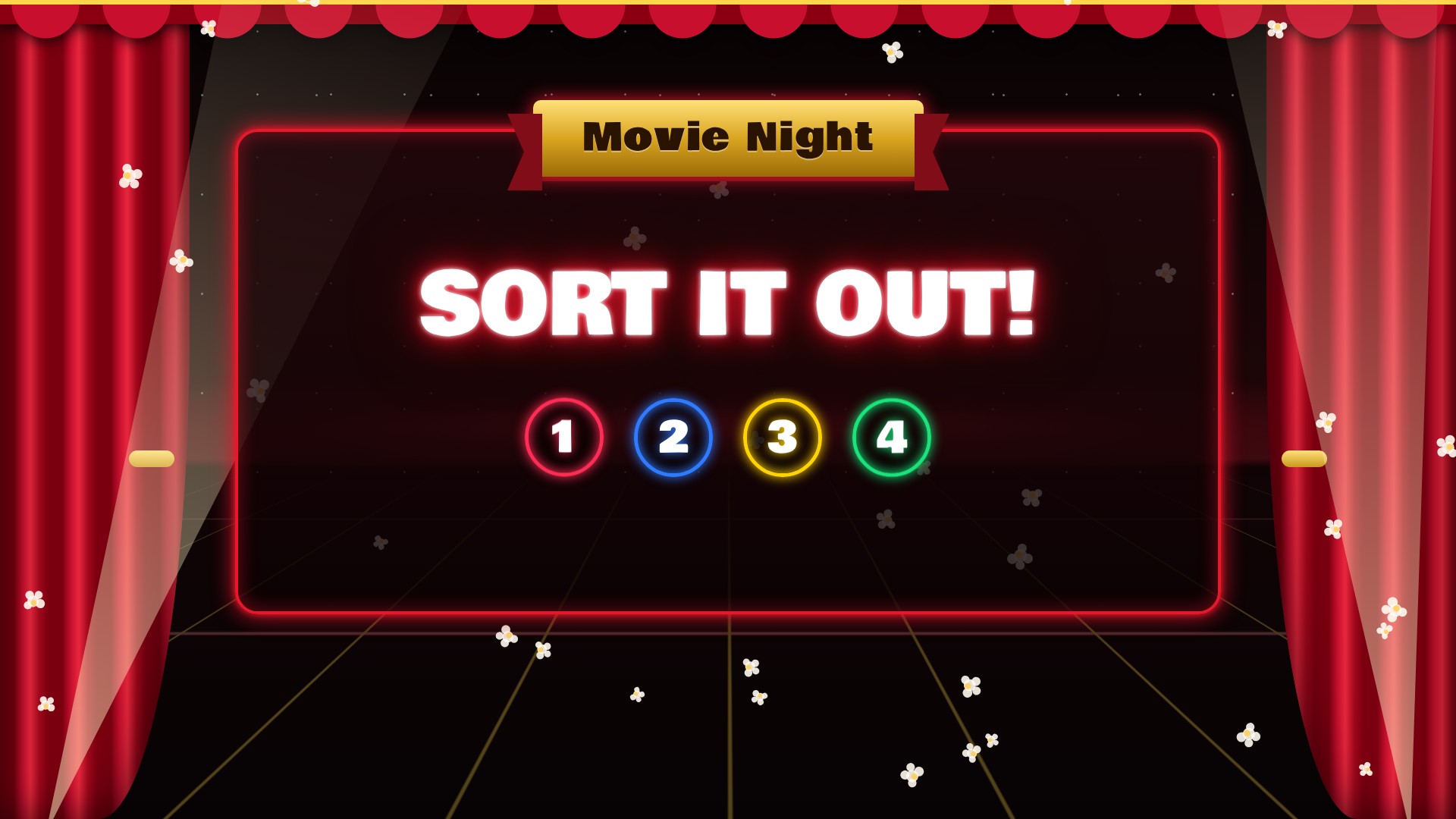
🎬 Theme — Movie Night

⚽ Theme — Sports Night
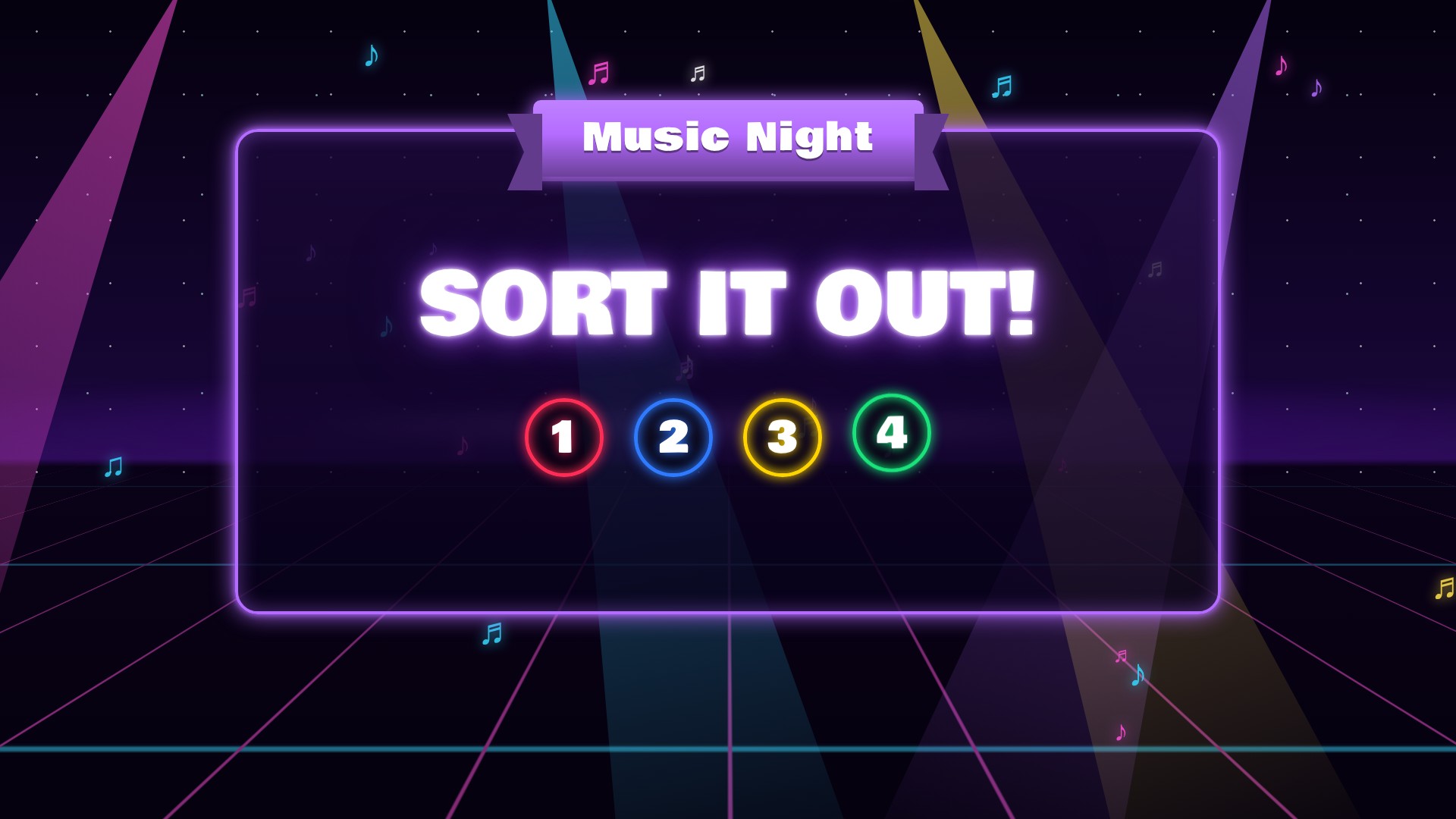
🎸 Theme — Music Night
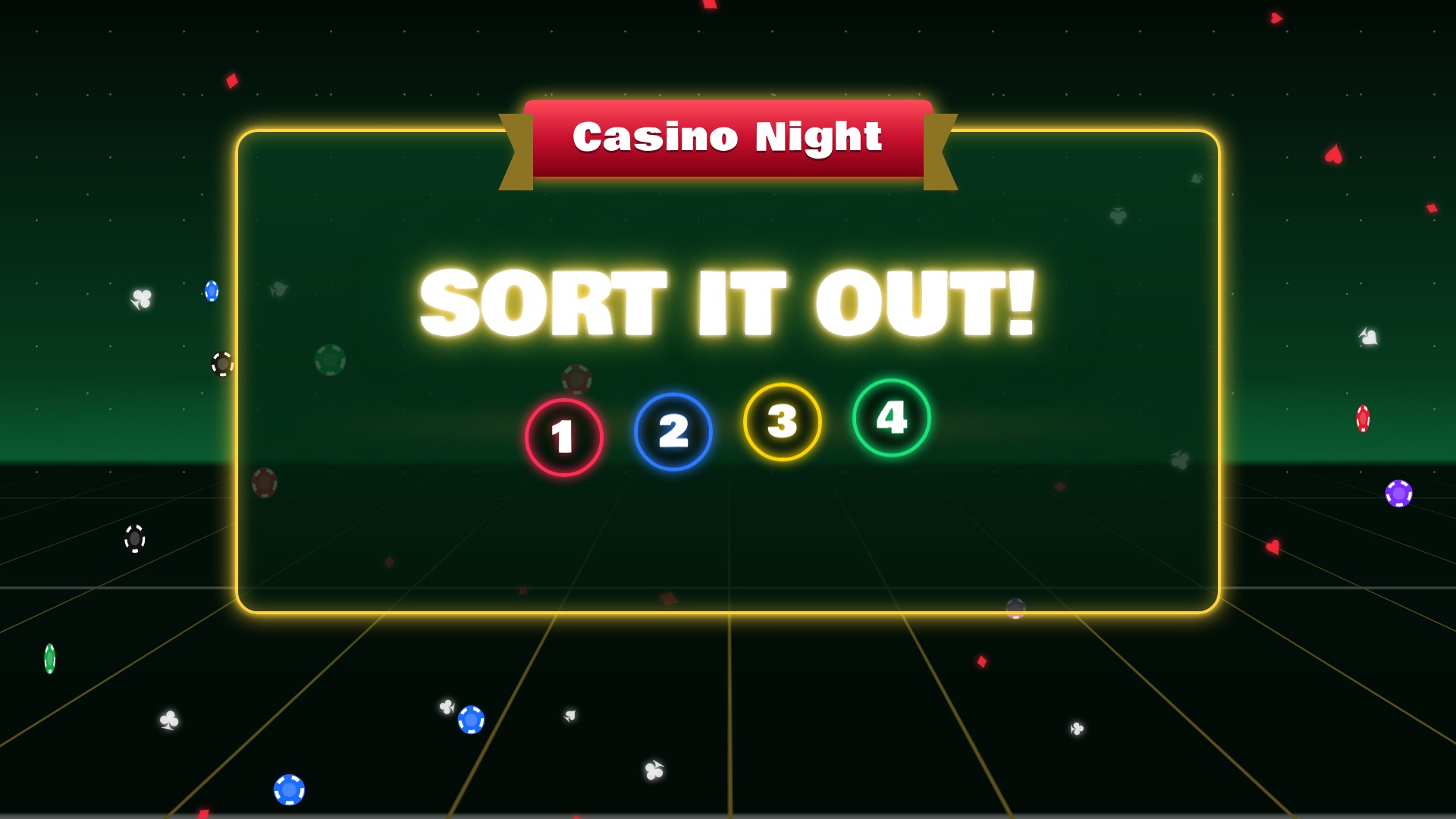
🎰 Theme — Casino Night
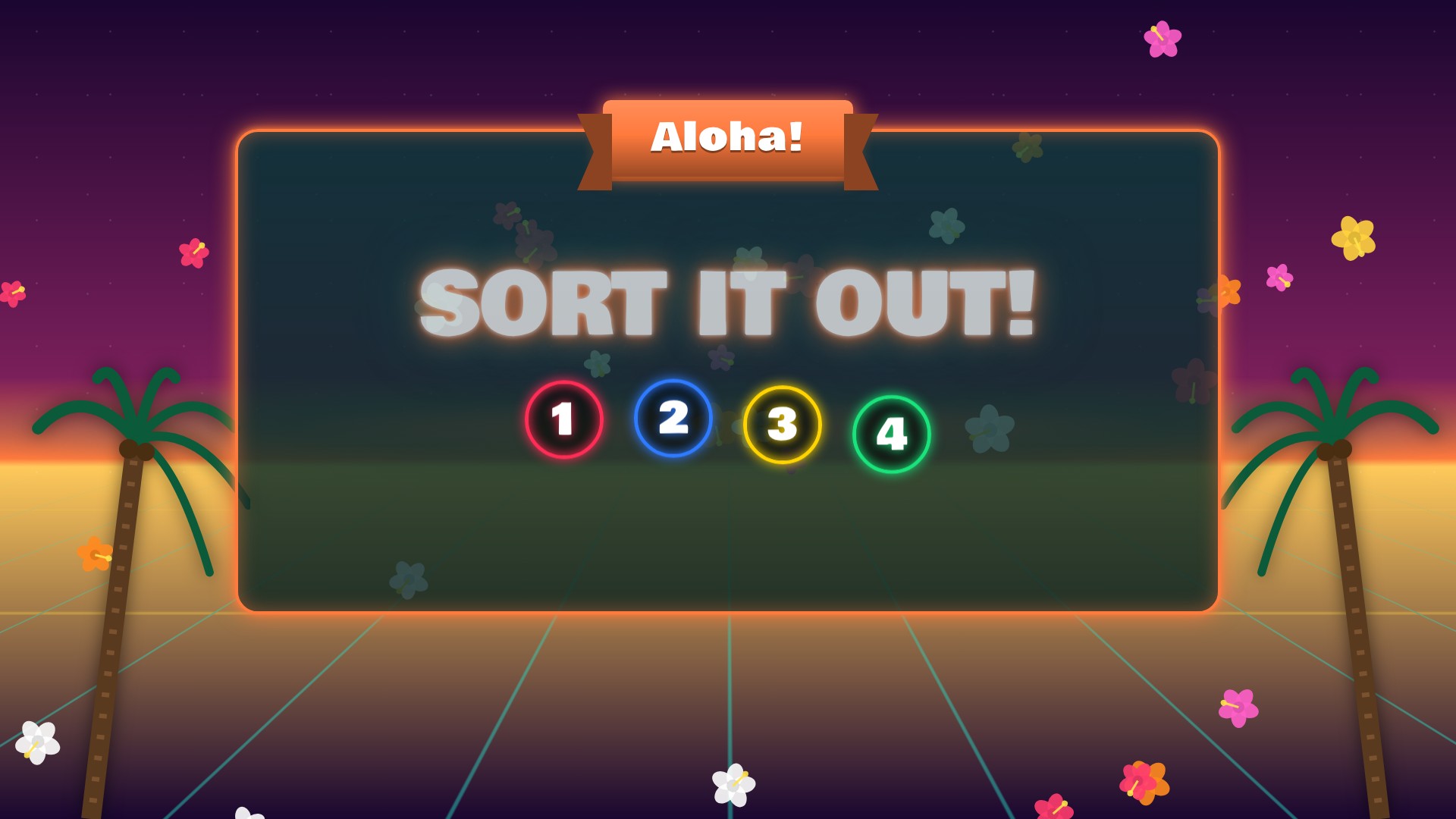
🌺 Theme — Hawaiian
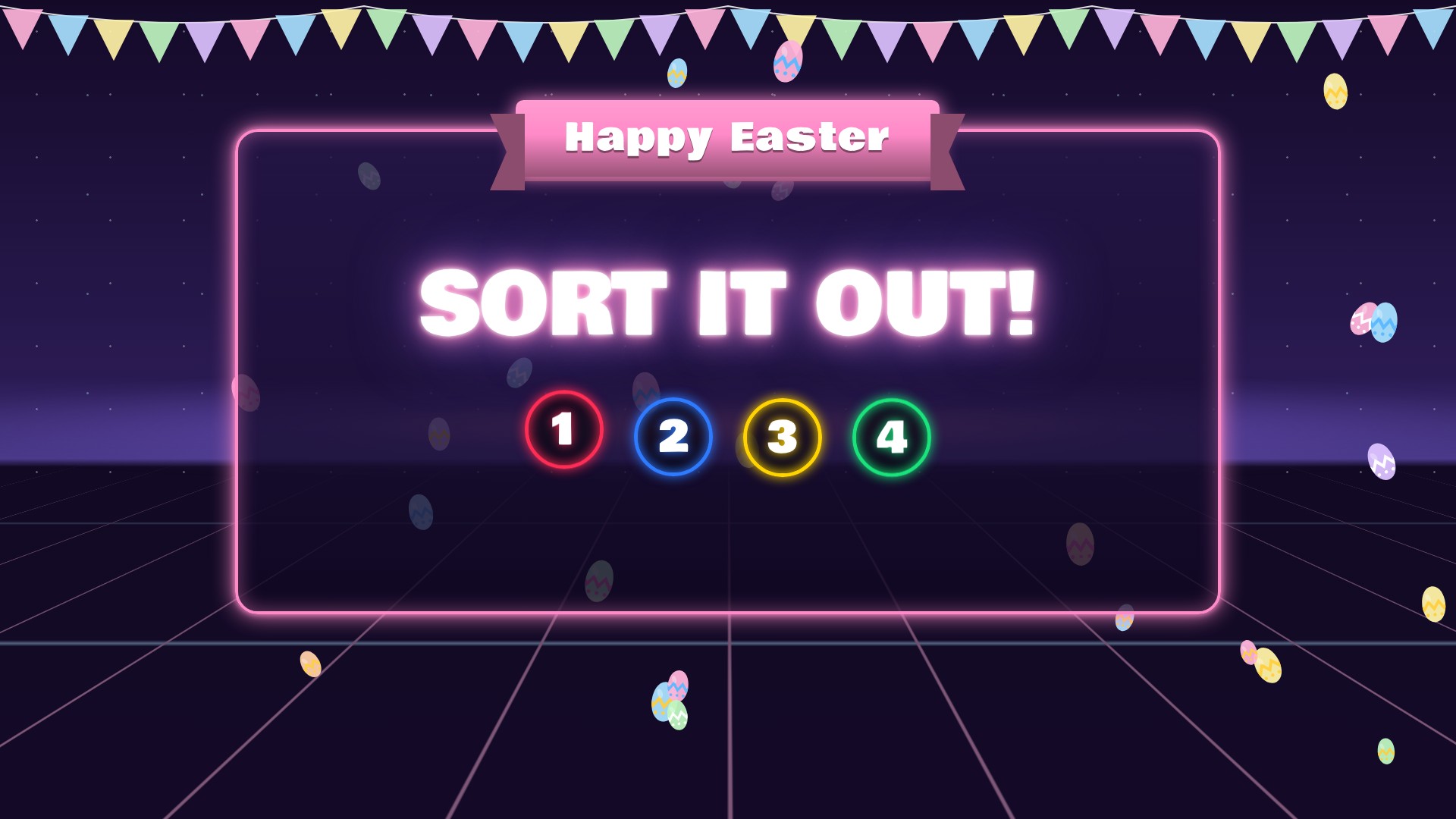
🐣 Theme — Easter

🍺 Theme — Oktoberfest

❄️ Theme — Winter Wonderland
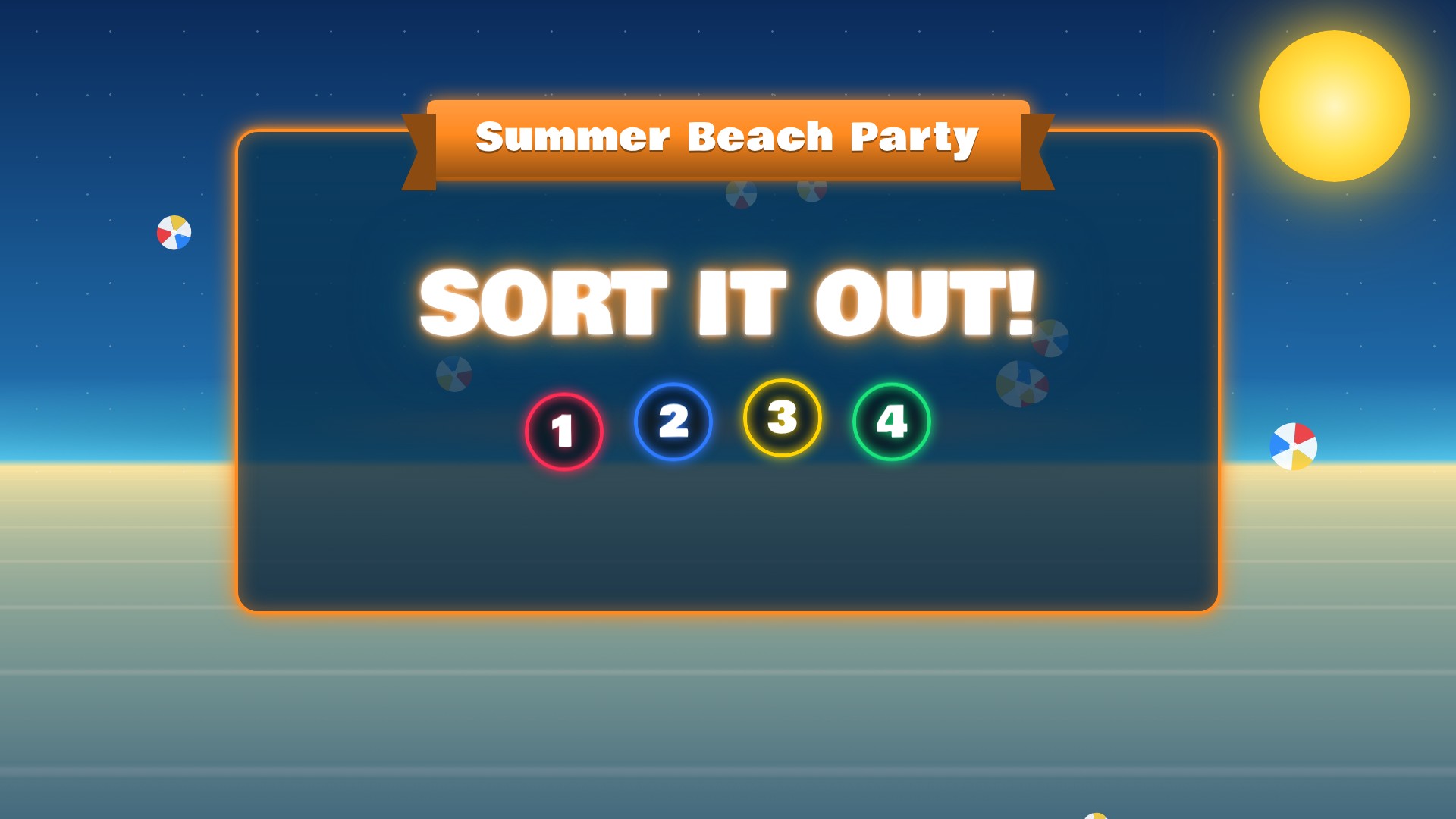
🏖️ Theme — Summer / Beach
1 / 30
🖥️ Run the Show from Your Laptop
The players see the game on the TV, while you see everything on your laptop: the players, the categories, the right order before anyone answers, the points, the music and the buzzers. Change the mode, the colours, the points and the theme with one click.
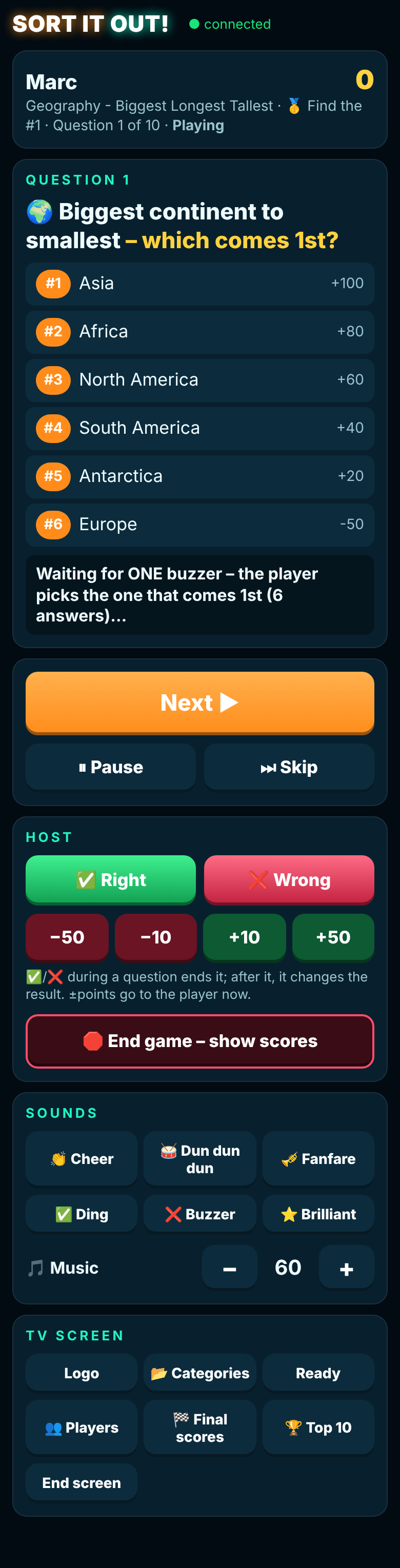
📱 Run the Game from Your Phone
Turn on the phone remote and scan the QR code — no app needed. Walk around the room and run the whole show: start, next, pause, pick the player and the category, see the answers, ✅ right / ❌ wrong, ± points, sound effects, music volume and end the game. Works on any Wi-Fi or 4G/5G, goes full screen and keeps the phone screen on.
✨ Built-In AI Question Maker
Type a topic — “Christmas”, “80s music”, “animals for kids” — choose how many and how hard, and the AI writes your questions in seconds, with emoji pictures, free photos or AI drawings. No internet AI? Copy the instructions into ChatGPT, Gemini or Claude and paste the answer back.
📚 47 Ready-Made Categories Included
485 ready-to-play questions. Add your own categories too — or make them with the AI.
80s · 90s · 2000s Night · Christmas · Halloween · Easter · Valentine’s Day · New Year’s Eve · Chinese New Year · Thai Night · Summer Beach Party · Back to School · World Cup · Olympics · Dinosaur Night · Around the World and more
Countries and Capitals · Food and Drink · Money and Prices · Tech and Inventions · World Records · Movies Oldest to Newest · Music Through the Years · History · Science · Space · Sport · Geography
Animals · Story Order · Daily Routines · Transport · Weather · Fruit and Veg · Numbers in Order · Adjective Order · Sentence Builder · Time Words · How Often and more
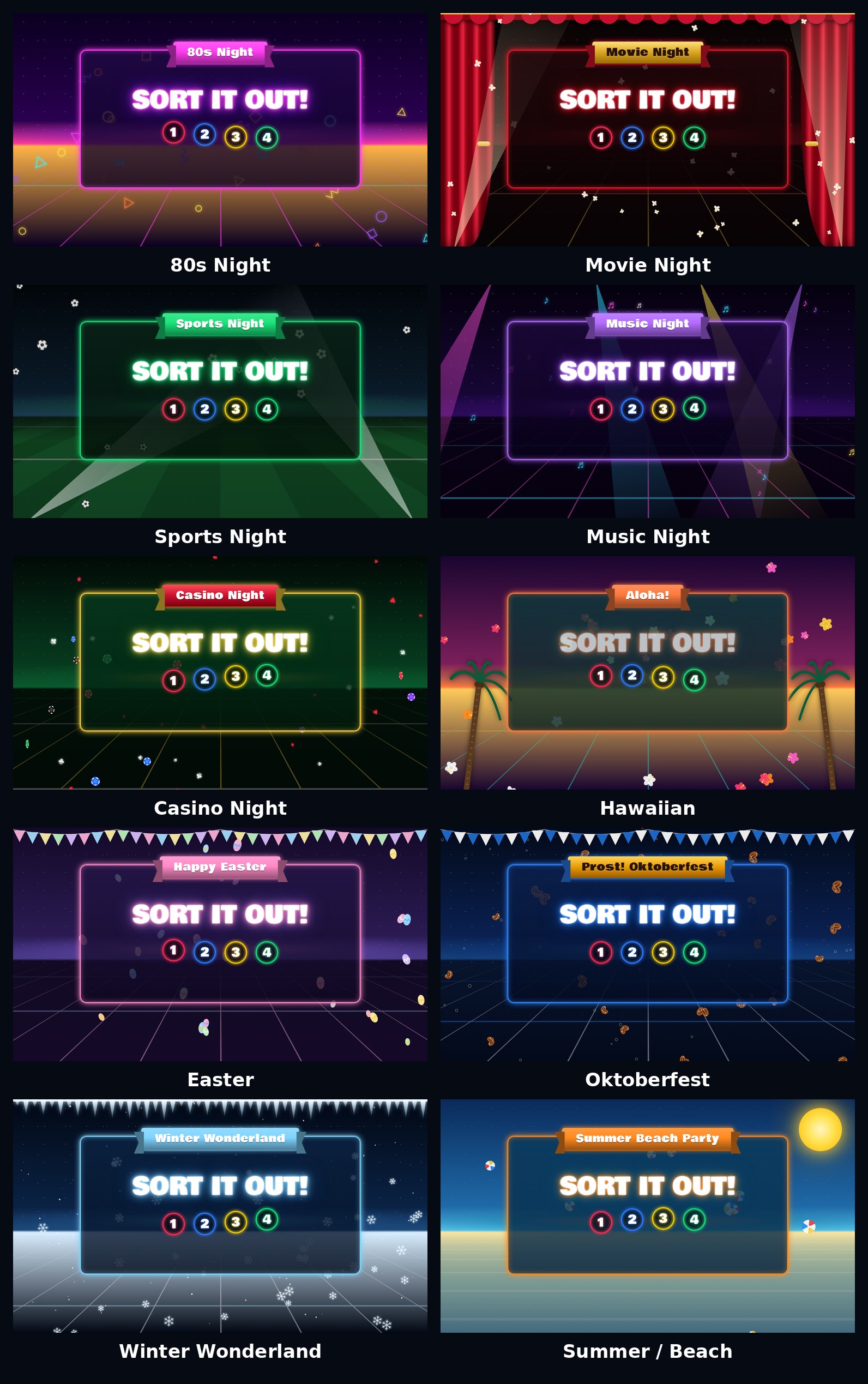
🎉 23 Party Themes — 10 Brand New
Change the whole look of the TV with one click. New: 80s Night, Movie Night, Sports Night, Music Night, Casino Night, Hawaiian, Easter, Oktoberfest, Winter Wonderland and Summer / Beach.
✨ What's in Sort It Out!?
Put Them in Order
The player presses the 4 coloured buzzers in the right order — 1st, 2nd, 3rd, 4th. Points for every thing in the right place, and a bonus for a perfect order.
Find the #1
A new way to play: 4 or 6 answers, one buzzer. The #1 answer scores the most, the others score less — and the last-place answer loses points!
4 or 6 Buzzers
Play with 4 buzzers, or 6 in Find the #1 mode. Choose your own button colours to match your buzzers.
Phone Remote
Run the game from your phone: start, next, pause, see the answers, ✅ right / ❌ wrong, ± points, sound effects and music. Scan the QR code — no app needed.
Any Wi-Fi or 4G
The phone remote works over the internet on any Wi-Fi or 4G/5G — or on the same Wi-Fi with no internet at all.
AI Question Maker
Type a topic and the built-in AI writes your questions in seconds — with emoji pictures, a free photo or an AI drawing for each one.
Use Any Free AI
No internet AI? Copy the instructions into ChatGPT, Gemini or Claude, paste the answer back, and your questions are added.
Players Choose the Category
The TV shows the categories, the player picks one, and categories already played are greyed out for the rest of the round.
Up to 10 Players
Type in the names, pick who plays next, and the players board keeps everyone’s total for the night.
Fast Answers Score More
A countdown clock and a speed bonus — plus an in-a-row bonus for 3 perfect answers.
Points or Money
Show the scores as points or as $, £, €, ฿ and more — or hide the scores until the final reveal.
Two Ways to Play
A set number of questions for a score, or Lives mode that gets faster until the lives run out.
Winner Light Show
Final scores come in one by one, then the winner gets a full-screen light show.
23 Party Themes
Christmas, Halloween, 80s Night, Movie Night, Casino Night, Oktoberfest, Songkran and more — change the whole look with one click.
Make Your Own Categories
Type what to do and the things in the right order. Import, export or paste whole lists in seconds.
Music & Sounds
4 original music tracks, a buzzer sound for every player, and add your own MP3s.
Host & Player Screens
The players’ screen goes full screen on your TV or projector, while you run the show from your laptop — or your phone.
Learn Any Buzzer
Buzzers that send other keys? Press “Learn”, press each buzzer, and Sort It Out! remembers it.
🔔 Play with Real Buzzers
Made for our 4-Player Buzzer Game System — big red, blue, yellow and green buzzers that match the coloured podiums on the TV. Any USB buzzers that type 1–4 (or 1–6) work too, and others can be set up with the “Learn” button. No buzzers? Use the keyboard.
🛒 Get Sort It Out!
The buzzer game where players put things in order — for parties, pubs, offices and classrooms. Works with our 4-player buzzers, USB buttons, or the keyboard.
🪟 Windows Version
Sort It Out!
Available Now
One-time purchase · Windows
Includes 47 categories · 23 themes · AI question maker · phone remote
🪟 Buy for WindowsNeeds a Windows 10 or 11 computer (64-bit) and a TV or projector (HDMI) — or play in a window on one screen. The AI question maker and the phone remote over 4G need the internet; everything else works offline. One licence per computer: after you order you receive the installer and your personal licence code.